
 Cart
Cart  Order Tracking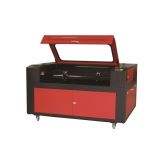
63" x 40" 1610 Laser Engraver and Cutter Machine, with Electric Lifting Table and 80W Laser
Item Code: LEM-LD-1600H
63" x 39.37" (1600mm x 1000mm) Electric Up - down Lifting Laser Engraver and Cutter Machine, 80W Main Function: Scan / engrave / cut Application This laser engraving and cutting machine is equipped with a standard knife shape aluminum rib working table and a standby honeycomb working
 Ships to United States
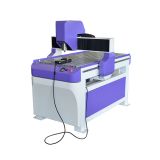
35" x 25" (900mm x 600mm) AD. CNC Engraver Machines
Item Code: CNCR-LD-9065H
35" x 25" 9060 CNC Engraver CNC Router Application: Wide range of applications make it possible to process any wooden products like: advertising sign plates and acrylic cutting. Any metal or non-metal material can be processed, for example, iron, copper, aluminum, plastic plate
Ships to United States
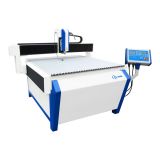
47" x 31" (1200mm x 800mm) High Precision AD CNC Engraver Machine
Item Code: CNCR-CP-1208
: 1200mm x 800mm (47" x 31") Height of Gantry Lifting: 110mm (4.3") Maximum Travel Speed: 7200mm (283") / min Spindle: 1.5KW Chinese air cooled 10 pcs engraving tools Aluminum alloy working table, circular guideway, Leadshine drivers 3.5" DSC-931 Color screen controller
Ships to United States
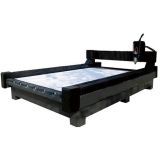
79" x 157" (2000mm x 4000mm) Heavy-Duty Stone/Glass Carving CNC Router
Item Code: CNCR-SD-2040SA1
Application: This series of CNC engravers are mainly used for processing many kinds of hard materials such as: marble, granite, glass, floor tiles, and soft metals. Main Configuration Information Engraving Area: 79" x 157" (2000 x 4000mm) Gantry elevation height: 11.8" (300mm
Ships to United States
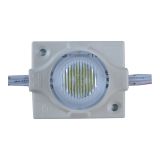
SMD 3535 Side LED Module(1 LED, Viewing Angle 12°x 56°, 2.88 Watt, White light, L43 x W36mm) for Lightbox (18pcs/Pack)
Item Code: LEDM-CM-IHX347B
Feature: • 98% transmittance Special lens, Optimized for use in Double Sided Lightbox lighting. • Constant Current Technology (CCT), 18 pcs per series,Cut off 3 modules. • Constant Current Technology (CCT),3 pcs modules per string & 6 strings per pack (18 pcs modules per pack),you need to use one string (3 pcs modules) together to light the modules. • The exposed Aluminum plate for heat dissipationInjection molding process, Waterproof:IP 67 Injection molding process. • Easy installation. • Energy saving, Environment friendly. • Long life span. • Suitable for 10-30cm thickness. • Double light boxes backlighting. Free shipping on order over 288usd in 25 areas: Puerto Rico, Canada, France, England, America, Australia, Germany, Japan, Thailand, Belgium, Spain, Maldives, Philippines, Russia, South Korea, India, Malaysia, Singapore, Indonesia, Vietnam, Cambodia, Greek, Israel, Pakistan
Ships to United States
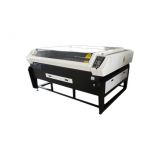
63" x 39" 1610 Automobile Interior Decoration Laser Cutter Machine
Item Code: LCM-GL-JG160100AS
price) Warranty and aftersales service: One year warranty except the wearing parts. 24-hour technical service support by email or calling. User-friendly English manual for machine using and maintenance. Samples:
Ships to United States
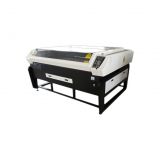
63" x 39" 1610 2 Heads Automobile Interior Decoration Laser Cutter Machine
Item Code: LCM-GL-JG160100AD
extra USD $2450 to the price) Outside exhaust fans: (add an extra USD $20 to the price) Warranty and aftersales service: One year warranty except the wearing parts. 24-hour technical service support by email or calling. User-friendly English manual for machine using and maintenance. Samples:
Ships to United States
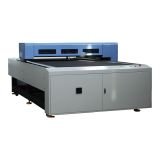
51" x 98" 1325 Flatbed Laser Cutter Machine
Item Code: LCM-BLC-1325
. 24-hour technical service support by email or calling. User-friendly English manual for machine using and maintenance. Samples:
Ships to United States

51" x 98" 1325 Woodworking CNC Center, with Italian combination drills and Auto-tool Changer system
Item Code: CNCR-JR-1325ATC
Main Configuration Information: Engraving area: 51.2" x 98.4" (1300 x 2500mm) Height between Gantry and worktable: 9.1" (230mm) Maximum Traveling Speed: 60000mm/min (DSP) Spindle Power: Italian HSD 8KW air cooing Rotary Carrousel: Auto-tool Changer system, Tool magazine capacity of 8
Ships to United States
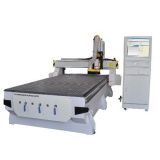
59" x 118" (1500mm x 3000mm) Woodworking CNC Router with 6KW Spindle
Item Code: CNCR-GDWM-1530
high quality requirement of the large-scale weight-loading process. • X, Y and Z axes are selected with an imported 25mm linear guide way; X and Y axes are transmitted by an imported precise gear and rack and the Z axis by an imported ball screw. • A Taiwanese automatic oil
Ships to United States
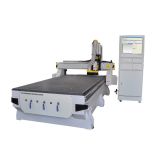
71" x 98" (1800mm x 2500mm) Woodworking CNC Router with 6KW Spindle
Item Code: CNCR-GDWM-1825
machine bed is heavy enough for the high quality requirement of the large-scale weight-loading process. • X, Y and Z axes are selected with an imported 25mm linear guide way; X and Y axes are transmitted by an imported precise gear and rack and the Z axis by an imported ball screw. &bull
Ships to United States
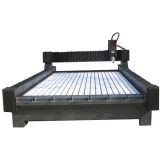
79" x 118" (2000mm x 3000mm) Heavy-Duty Stone/Glass Carving CNC Router
Item Code: CNCR-SD-2030SAI-PLUS
easily, it is very convenient for moving stone. Water tank installed at the back of the working table to store water. X and Y axis adopt helical rack gear wheel transmissions, which increase the machine’s intensity and lifespan. Z axis adopts ball screw transmission to ensure precision in the
Ships to United States

Office Door Sign Indicator 8.3" x 8.3" (210mm x 210mm)
Item Code: SIC-LQ-M6161
Description: This series of office door signs are made of imported acrylic with an elegant and stylish design. It has a very easy to install metal wall-mount, so you can do it yourself, in most indoor surfaces. Applications: This product comes in various sizes for different uses, such as: direction indication, door numbers, department signage, floor signage, product introductions, adverting releases, etc.
Ships to United States
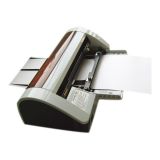
Semi-Automatic Business Card Cutter (90 x 50mm)
Item Code: CS-SSB-002
Description: This semi-automatic business card cutter is used for cutting business card. It’s durable for the steel blade and the blade could be milled by itself to ensure it will be sharp. This cutter cut business card and photo without rough edges because of its reasonable mechanical structure. This business card cutter can also cut laminated card or photo. It’s with multi-adjustment with nice out appearance and the cutter is very smart that's easy to take and operate. Warm Tips: 1. Please make sure the cutter is power off and unplug the power plug first when you clean the machine. 2. Test it before using if the business card cutter does not work for a long time. 3. Make sure the business card is aligned with the blade and tighten the screw of the cutter. 4. Don't put your hands under the blade when the machine is running. 5. Please operate under the operation manual strictly. 1. See-through window 9. Feed tension 1 2. Housing 10. Adjustable paper feed knob 2 3. Push mark 11. Paper margin adjustment knob 4. Receptacle 12. Feed tension 2 5. Pass through No. 2 13. Adjustable paper feed knob 1 6. Switch 14. Arrow mark 2 7. Arrow mark 1 15. Warning Mark 8. Pass through No. 1 Item Semi-auto Business Card Cutter Hand Press Card Cutter Feature Automatic type, it’s easy and convenient to operate that is power saving. Manual type, it’s exhausting to operate. High Efficient 30-40pcs/minute 10-20pcs/minute Durable It adopts aluminum alloy blade which is durable with long life-span. Short life time 1. Prepare the business card cutter and then plug the power plug. 2. Insert the card paper along the fixed feed tesion1 to the feed table in pass through No.2. 3. Adjust the adjustable paper feed knob 1 beneath the housing to ensure the center line in your content must be centered to the arriow mark 1. 4. Adjust paper margin adjustable knob on the left side to lock the card paper in the proper position, then switch on to bring out the semi finished cards and switch off when all first pass completed. 5. Insert the semi finished cards along the fixed feed tension 2 into the feed table in pass through No. 1. 6. Semi finished content must be put along the stop knob on the right side closely by adjustment of adjustable paper feed knob 2 and make sure the arrow mark 2 precisely points at the third broken line in the card paper through see-through window. 7. Power on again followed by pressing “the push mark” with two thumbs forward evenly to see semi finished cards along the fixed feed tension 2 into the feed table in pass through No. 1 from see-through window then power off when all finished. 8. Open the lid to clear wastepaper or the content stuck in the blade after all works completed but be sure the machine is powered off. The business card cutter is widely used for cutting business card, photo and picture card, etc. Quality Report:
Ships to United States
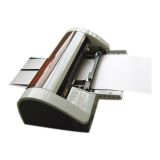
Semi-Automatic Business Card Cutter (89 x 54mm)
Item Code: CS-SSB-004
Description: This semi-automatic business card cutter is used for cutting business card. It’s durable for the steel blade and the blade could be milled by itself to ensure it will be sharp. This cutter cut business card and photo without rough edges because of its reasonable mechanical structure. This business name card cutter can also cut laminated card or photo. It’s with multi-adjustment with nice out appearance and the cutter is very smart that's easy to take and operate. Warm Tips: 1. Please make sure the cutter is power off and unplug the power plug first when you clean the machine. 2. Test it before using if the business card cutter does not work for a long time. 3. Make sure the business card is aligned with the blade and tighten the screw of the cutter. 4. Don't put your hands under the blade when the machine is running. 5. Please operate under the operation manual strictly. 1. See-through window 9. Feed tension 1 2. Housing 10. Adjustable paper feed knob 2 3. Push mark 11. Paper margin adjustment knob 4. Receptacle 12. Feed tension 2 5. Pass through No. 2 13. Adjustable paper feed knob 1 6. Switch 14. Arrow mark 2 7. Arrow mark 1 15. Warning Mark 8. Pass through No. 1 Item Semi-auto Business Card Cutter Hand Press Card Cutter Feature Automatic type, it’s easy and convenient to operate that is power saving. Manual type, it’s exhausting to operate. High Efficient 30-40pcs/minute 10-20pcs/minute Durable It adopts aluminum alloy blade which is durable with long life-span. Short life time 1. Prepare the business card cutter and then plug the power plug. 2. Insert the card paper along the fixed feed tesion1 to the feed table in pass through No.2. 3. Adjust the adjustable paper feed knob 1 beneath the housing to ensure the center line in your content must be centered to the arriow mark 1. 4. Adjust paper margin adjustable knob on the left side to lock the card paper in the proper position, then switch on to bring out the semi finished cards and switch off when all first pass completed. 5. Insert the semi finished cards along the fixed feed tension 2 into the feed table in pass through No. 1. 6. Semi finished content must be put along the stop knob on the right side closely by adjustment of adjustable paper feed knob 2 and make sure the arrow mark 2 precisely points at the third broken line in the card paper through see-through window. 7. Power on again followed by pressing “the push mark” with two thumbs forward evenly to see semi finished cards along the fixed feed tension 2 into the feed table in pass through No. 1 from see-through window then power off when all finished. 8. Open the lid to clear wastepaper or the content stuck in the blade after all works completed but be sure the machine is powered off. The business card cutter is widely used for cutting business card, photo and picture card, etc. Quality Report:
Ships to United States
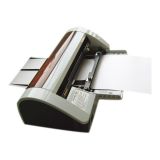
Semi-Automatic Business Card Cutter (85 x 55mm)
Item Code: CS-SSB-003
Description: This semi-automatic business card cutter is used for cutting business card. It’s durable for the steel blade and the blade could be milled by itself to ensure it will be sharp. This cutter cut business card and photo without rough edges because of its reasonable mechanical structure. This business card cutter can also cut laminated card or photo. It’s with multi-adjustment with nice out appearance and the cutter is very smart that's easy to take and operate. Warm Tips: 1. Please make sure the cutter is power off and unplug the power plug first when you clean the machine. 2. Test it before using if the business card cutter does not work for a long time. 3. Make sure the business card is aligned with the blade and tighten the screw of the cutter. 4. Don't put your hands under the blade when the machine is running. 5. Please operate under the operation manual strictly. 1. See-through window 9. Feed tension 1 2. Housing 10. Adjustable paper feed knob 2 3. Push mark 11. Paper margin adjustment knob 4. Receptacle 12. Feed tension 2 5. Pass through No. 2 13. Adjustable paper feed knob 1 6. Switch 14. Arrow mark 2 7. Arrow mark 1 15. Warning Mark 8. Pass through No. 1 Item Semi-auto Business Card Cutter Hand Press Card Cutter Feature Automatic type, it’s easy and convenient to operate that is power saving. Manual type, it’s exhausting to operate. High Efficient 30-40pcs/minute 10-20pcs/minute Durable It adopts aluminum alloy blade which is durable with long life-span. Short life time 1. Prepare the business card cutter and then plug the power plug. 2. Insert the card paper along the fixed feed tesion1 to the feed table in pass through No.2. 3. Adjust the adjustable paper feed knob 1 beneath the housing to ensure the center line in your content must be centered to the arriow mark 1. 4. Adjust paper margin adjustable knob on the left side to lock the card paper in the proper position, then switch on to bring out the semi finished cards and switch off when all first pass completed. 5. Insert the semi finished cards along the fixed feed tension 2 into the feed table in pass through No. 1. 6. Semi finished content must be put along the stop knob on the right side closely by adjustment of adjustable paper feed knob 2 and make sure the arrow mark 2 precisely points at the third broken line in the card paper through see-through window. 7. Power on again followed by pressing “the push mark” with two thumbs forward evenly to see semi finished cards along the fixed feed tension 2 into the feed table in pass through No. 1 from see-through window then power off when all finished. 8. Open the lid to clear wastepaper or the content stuck in the blade after all works completed but be sure the machine is powered off. The business card cutter is widely used for cutting business card, photo and picture card, etc. Quality Report:
Ships to United States

